TL;DR
- This blog is designed for OPD doctors, clinic owners, and hospital administrators who want to understand healthcare management software before purchasing or switching to a system in India.
- Healthcare management software is a collection of digital tools that helps clinics and hospitals manage patient records, appointments, billing, pharmacy operations, laboratory services, and reporting.
- The main types are EMR/EHR, hospital management systems, clinic and practice management software, billing software, e-prescribing, and telemedicine, and most true implementations include multiple ones.
- Most healthcare management systems assume that doctors will enter patient information by typing during consultations. This can make adoption difficult in busy Indian OPDs, where doctors have limited time to complete digital records.
- Select software that will complement your doctors’ workflow. Depending on the available integration, the captured information can support the clinic’s broader digital record management workflow.
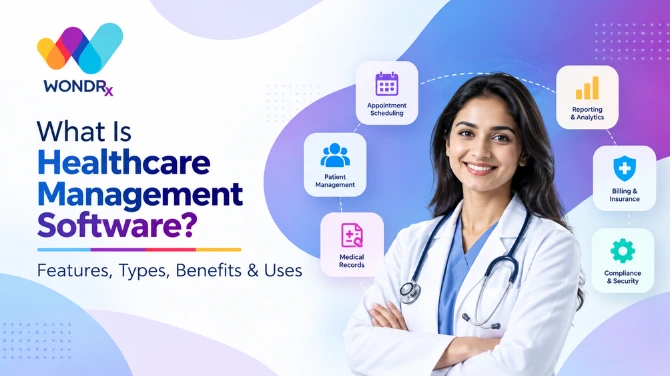
Healthcare management software helps clinics and hospitals organise clinical, administrative, and financial operations. Depending on the system, it may include patient records, appointment scheduling, prescriptions, billing, pharmacy management, laboratory services, and reporting.
In India, clinics and hospitals are increasingly evaluating digital systems to improve record management, streamline operations, and support connected patient information workflows. However, choosing the right software involves more than comparing the number of available features.
One important consideration is how clinical information gets captured during consultations. Many digital workflows rely on keyboard or touchscreen-based data entry. For doctors managing busy outpatient departments (OPDs), additional entry steps may be difficult to accommodate within an existing consultation routine.
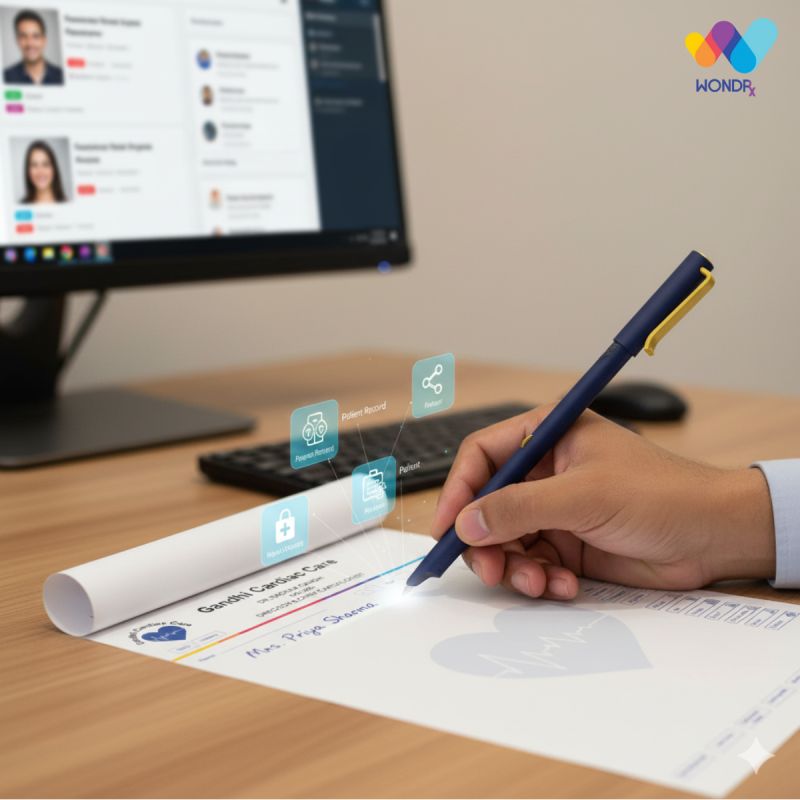
WONDRx Smart Rx offers an alternative for prescription capture. Doctors can continue writing prescriptions on specially designed paper using a Digital Pen, while the prescription is captured digitally.
This guide explains what healthcare management software does, its main types and benefits, how clinics should evaluate different systems, and how WONDRx can complement existing digital record workflows.
Also Read,
- Pharma Market Research: How It Helps Companies Make Better
- MR Reporting App for Pharma Companies
- How Pharma CRM Helps Medical Representatives Manage Doctor
What Is Healthcare Management Software?
Healthcare management software refers to digital applications that help healthcare facilities manage their clinical, administrative, and financial activities. Depending on the platform, these applications may support patient records, appointment scheduling, prescriptions, billing, pharmacy operations, laboratory services, and reporting.
The scope depends on the size and requirements of the facility. A solo practitioner may need patient records, appointment management, and billing, while a multispecialty hospital may require OPD and IPD management, operation theatre scheduling, inventory management, insurance claims processing, and staff administration.
Healthcare management software is a broad category that includes hospital management systems (HMS), clinic management software, and practice management software. These systems may operate independently or connect through integrations, depending on their capabilities and configuration.
Why Do Most Healthcare Management Systems Struggle in a Busy OPD?
One challenge in adopting healthcare management software is capturing clinical information during consultations. Features such as patient records, reporting, and follow-up management depend on the availability of accurate and sufficiently complete information.
In some digital workflows, doctors may need to select diagnoses, choose medicines from lists, enter dosage details, and complete other fields through a keyboard or touchscreen. For doctors handling a busy OPD, these additional steps may be difficult to accommodate without affecting the existing consultation routine.
As a result, some clinics may maintain basic digital information, such as patient names and billing records, while doctors continue writing clinical notes and prescriptions on paper.
This creates a gap between administrative digitisation and clinical record capture. A useful healthcare management workflow should consider how doctors actually work and provide practical ways to capture relevant clinical information without unnecessarily disrupting consultations.
What Are Key Features of Healthcare Management Software?
The most useful features are those that support a clinic’s daily clinical and administrative workflows. Depending on the platform, important capabilities may include:
- Patient Records: Searchable patient histories containing available visit records, diagnoses, prescriptions, and reports.
- Appointment and Queue Management: Online booking, walk-in tokens, and reminders to help organise patient flow.
- E-Prescribing: Tools for creating and sharing digital prescriptions with patients and other authorised recipients.
- Billing and Insurance: Invoices, receipts, payment records, and relevant insurance claim workflows.
- Pharmacy, Laboratory, and Inventory Management: Stock records, test orders, laboratory results, and relevant patient-record associations.
- Reports and Analytics: Information on patient volume, available clinical records, revenue, and follow-up activity.
- Data Protection and Interoperability: Appropriate access controls, consent processes, and support for relevant ABDM integration requirements where applicable.
One additional consideration is how patient information is captured during consultations. A system may offer multiple modules, but their usefulness depends partly on whether the clinic can maintain accurate and sufficiently complete records.
What Are the Main Types of Healthcare Management Software?
There is no single category. Most clinics and hospitals run a few of these together, either as one suite or as connected tools.
EMR and EHR Systems
An EMR is a digital patient record maintained within a healthcare facility or practice. An EHR is designed to support a more comprehensive patient health record that can be shared across authorised healthcare providers. India’s ABDM initiative aims to enable interoperable digital health records across the healthcare ecosystem. If you want a full comparison, read our guide on EHR vs EMR difference.
Hospital Management Systems (HMS)
An HMS covers a whole hospital: OPD, IPD, wards, billing, pharmacy, lab, radiology, inventory, and staff. It suits multi department facilities that need one source of truth.
Clinic and Practice Management Software
Built for smaller setups, this combines appointments, patient records, prescriptions, and billing without the weight of a full hospital system. Most OPD focused clinics in India start here.
Billing and Revenue Cycle Software
This handles invoices, payment collection, insurance pre authorisation, and claim follow up. It matters most where cashless and TPA claims make up a large share of revenue.
E Prescribing Software
E-prescribing software allows doctors to create and share digital prescriptions with patients and pharmacies. In many systems, prescriptions are created by entering details through a keyboard or touchscreen. Another approach is digital handwriting, which allows doctors to write prescriptions using a digital pen while the information is captured electronically. This can be useful in busy OPDs where doctors prefer their existing writing-based workflow.
Telemedicine Software
Video consults, digital prescriptions, and follow up chats for remote care. It works best when it shares patient records within the clinic system instead of running separately.
How Does WONDRx Work Alongside Software for Healthcare Management?
WONDRx Smart Rx is a digital prescription solution designed for doctors who prefer writing prescriptions on paper but also want digital prescription records.
The Smart Rx Kit combines a Digital Pen with specially designed prescription sheets. Doctors continue writing prescriptions in their familiar way, while the system captures the handwritten prescription digitally.
The workflow includes:
- Prescription Writing: The doctor writes on a specially designed Smart Rx sheet using the Digital Pen.
- Digital Capture: The handwritten prescription is captured digitally as the doctor writes.
- Patient Access: A digital copy is made available to the patient, with supported SMS or app notifications.
- Record Access: Digital records are stored in cloud-based storage and can be accessed through supported devices.
- Training and Support: Remote training and support help the clinic get started with the solution.
This approach allows doctors to retain their paper-based prescribing routine while enabling digital prescription capture.
WONDRx does not replace a hospital management system, EMR, or EHR. It complements these systems by addressing one specific part of the clinical workflow: capturing handwritten prescriptions digitally.
Where suitable integrations are available, the captured information may support a clinic’s wider digital record-management process. Clinics should confirm the integration scope and data flow with the relevant technology providers before implementation.
For clinics where doctors prefer handwriting prescriptions, WONDRx Smart Rx offers an alternative to workflows that depend entirely on manually typing prescription details.
What Are Benefits of Healthcare Management System Software?
When patient information is captured accurately and maintained consistently, healthcare management software can support several operational improvements.
- Faster Record Retrieval: Authorised staff can search available digital patient records instead of relying entirely on paper files.
- More Accessible Prescription Records: Digital prescriptions can be stored and shared with patients, subject to the system’s capabilities and access controls.
- Organised Billing: Digital billing workflows can help clinics maintain invoices, receipts, and payment records.
- Structured Follow-ups: Appointment and reminder features can help staff manage scheduled reviews.
- Operational Reporting: Clinic owners and administrators can review available information on patient volume, repeat visits, and revenue.
- Improved Record Management: Structured digital information can support record retrieval and relevant connected workflows.
The benefits depend on the completeness and accuracy of the information captured. Digitising administrative information alone does not necessarily create a complete clinical record.
Where Is Healthcare Management Software Used?
Healthcare management software is used across facilities that need to organise patient information, appointments, services, and payments.
- Solo Clinics and Small OPDs: Patient records, appointment scheduling, prescriptions, and billing.
- Multispecialty Clinics and Polyclinics: Shared patient information and coordination across doctors and departments.
- Hospitals and Nursing Homes: OPD, IPD, wards, pharmacy, laboratory, billing, and insurance workflows.
- Diagnostic Centres and Laboratories: Sample tracking, report generation, and sharing results with authorised recipients.
- Clinic Chains: Centralised reporting and operational oversight across multiple branches.
The system requirements differ by facility. In OPD settings, one important consideration is how consultation information, including prescriptions, is captured and maintained digitally.
How Should an Indian Clinic Choose Healthcare Management Software?
Start by understanding the clinic’s actual workflow and the information it needs to maintain. Consider these factors before selecting a platform:
- Understand Data Entry: Find out how doctors and staff record consultations, diagnoses, prescriptions, and other patient information. Test the workflow during a normal OPD session.
- Check ABDM Capabilities: Ask which relevant ABDM integrations and features the vendor supports, where applicable.
- Assess Data Protection: Review access controls, data handling, storage, retention, and applicable privacy requirements.
- Match the Software to the Facility: A solo clinic may need a simpler system, while a hospital may require more extensive departmental workflows.
- Review Integrations: Check whether billing, pharmacy, laboratory, and patient-record workflows can exchange information as required.
- Confirm Training and Support: Evaluate onboarding, training resources, and the availability of technical assistance.
- Understand the Total Cost: Include setup, per-doctor charges, storage, integrations, training, and ongoing support.
- Test with Actual Users: Evaluate the system with doctors and administrative staff during real clinic operations, not only through a vendor demonstration.
A system should fit the clinic’s workflow, provide the required functionality, and be practical for staff to use consistently.
Which Healthcare Management Software Fits Your OPD?
The right healthcare management software depends on the clinic’s size, services, patient volume, and existing workflows. Before choosing a platform, consider how patient records, prescriptions, appointments, and billing will be managed.
For an Indian OPD, pay particular attention to:
- Selecting the Right System: Choose a system that matches the clinic’s operational requirements.
- Understanding Data Entry: Understand how doctors record consultation information and prescriptions.
- Checking Integrations and Data Protection: Check whether the system supports the required integrations and data-protection practices.
- Evaluating Ease of Use: Consider how easily doctors and staff can use the system during a busy OPD.
- Considering Complementary Solutions: Explore solutions that can digitise handwritten prescriptions.
WONDRx Smart Rx offers a way to capture handwritten prescriptions digitally while allowing doctors to continue writing on paper.
Request a WONDRx demo to see how the Smart Rx Kit works in a real clinic workflow.
FAQs
What is healthcare management software?
Healthcare management software is a collection of digital tools that helps clinics and hospitals manage activities such as patient records, appointments, prescriptions, billing, pharmacy operations, laboratory services, and reporting. The features available depend on the platform.
What is the difference between a healthcare management system and a hospital management system?
A hospital management system is one category of healthcare management software designed to support hospital operations across departments such as OPD, IPD, pharmacy, laboratory, billing, and administration. Healthcare management software is a broader category that also includes clinic management, EMR/EHR, billing, e-prescribing, and other tools.
Which software for healthcare management is best for a small clinic in India?
A small clinic may benefit from a clinic management system that supports patient records, appointments, prescriptions, and billing. Evaluate the ease of data entry, relevant ABDM capabilities, data protection practices, training, support, and overall cost before selecting a platform.
Why can doctors find healthcare management software difficult to use?
Some systems require doctors to enter consultation information through keyboards or touchscreens. In busy OPDs, these additional steps may be difficult to accommodate within existing consultation workflows. The suitability of a system depends on its usability and how well it fits the clinic’s working practices.
Does WONDRx replace my healthcare management software?
No. WONDRx Smart Rx is designed to complement broader healthcare management software. It captures handwritten prescriptions digitally using a Digital Pen and specially designed prescription sheets. Any integration with an existing EMR, EHR, or clinic management platform depends on the supported integration capabilities and configuration.
Is cloud-based healthcare management software safe for patient data?
Cloud-based healthcare management software can be safe if the provider offers role-based access controls, audit trails, data encryption, and clear consent mechanisms aligned with applicable requirements of the DPDP Act. Before choosing a platform, ask the vendor how patient data is stored, who can access it, and how data access is monitored and logged.