
TL;DR
- An MR reporting app helps pharmaceutical companies digitise daily field reporting, including doctor visits, chemist visits, tour plans, sample distribution, and expenses.
- It gives managers a more structured view of field activity and can reduce dependence on paper daily call reports (DCRs), spreadsheets, and WhatsApp updates.
- Essential features for Indian pharma teams include fast call logging, offline access, tour planning, sample tracking, expense management, and role-based dashboards.
- User adoption is critical. The app should simplify daily reporting rather than add extra steps to an MR’s workflow.
- MR reporting apps capture field activity, while WONDRx Smart Rx digitises handwritten prescriptions. Where appropriate permissions and data arrangements exist, these different sources may provide complementary insights.
- Shortlist vendors, test their apps in real field conditions, and run a pilot before committing to a full rollout.
Medical representatives (MRs) play an important role in pharmaceutical sales operations. They plan doctor visits, share approved product information, record field interactions, and coordinate with chemists and other channel partners.
When these activities are tracked through paper forms, Excel spreadsheets, or WhatsApp messages, reporting can become delayed and difficult to consolidate. Managers may have limited visibility into field activity until representatives submit their daily or weekly reports.
An MR reporting app brings these activities into a structured mobile reporting system. Depending on its features, it can help representatives record doctor and chemist visits, submit daily call reports, manage tour plans, track samples, and submit expenses.
This guide explains what an MR reporting app does, the features Indian pharmaceutical companies should evaluate, indicative pricing considerations, and how to choose and implement a solution that field teams will actually use.
Also Read,
- Pharma Competitive Intelligence: How Better Prescription Data
- Pharmaceutical Marketing in India: Strategies
- E Detailing in Pharma: How Digital Tools Are Transforming HCP
What Is an MR Reporting App and What Does It Replace?
A medical representative installs the MR reporting app on an Android device and uses it to record each doctor or chemist visit. The representative can log details such as the products discussed, samples distributed, and follow-up actions. The app may also record a timestamp and, if supported and permitted, use GPS to verify the visit location.
The recorded information is available through a web dashboard or management portal. Managers can review daily field activity, identify missing reports, compare planned and completed visits, and see which doctors have not been visited according to the team’s schedule.
An MR reporting app can reduce dependence on several manual processes that pharmaceutical field teams may still use:
- Paper or Excel daily call reports: Representatives can record doctor and chemist visits through a mobile application.
- Monthly tour plans shared over email or WhatsApp: Tour plans can be created, submitted, and reviewed through the system, where supported.
- Manual expense claims: Representatives can submit travel and other eligible expenses digitally.
- Repeated status calls: Managers can review submitted field reports through a dashboard instead of relying entirely on individual phone updates.
An MR reporting app typically focuses on the medical representative’s daily reporting workflow. A broader pharma CRM or sales force automation (SFA) platform may also include customer relationship management, order capture, sales analytics, and additional integrations. However, the exact scope varies by vendor. For broader systems, see our guides on how pharma CRM helps medical representatives and how pharma SFA software supports sales reporting.
Why Are Pharma Companies Moving MR Reporting to an App?
Paper-based reporting can be time-consuming and difficult to verify. When medical representatives submit daily call reports (DCRs) several days late, managers may not receive the information they need in time to respond to field-level issues. Paper reports can also contain incomplete or inconsistent entries, making validation more difficult. When reports are delayed or inconsistent, area managers may struggle to identify recurring problems across territories and take timely corrective action.
When managers receive field reports only at the end of the month, they may discover problems too late to respond effectively. Underperforming territories can go unnoticed, while inflated or inaccurate call records may be difficult to identify without timely reporting and appropriate verification checks.
An app changes three things at once:
- Data can reach managers on the same day, allowing them to address issues sooner rather than waiting for month-end reports.
- Where supported and appropriately configured, GPS location and timestamps can help managers verify visit records.
- Automated reporting reduces manual compilation, helping representatives spend less time preparing reports at the end of the day.
What Features Should an MR Reporting App Have?
A long feature list does not necessarily make an MR reporting app effective. The important question is whether its features support the actual workflow of representatives and managers in the field.
Fast daily call reporting
Daily call reporting (DCR) is a core function of an MR reporting app. Representatives should be able to record doctor visits, products discussed, samples distributed, and follow-up actions through a simple mobile interface.
Evaluate the number of steps required to complete a report, the ease of selecting information from available lists, and whether the process works smoothly during a typical field day. A reporting process that is difficult to use can affect adoption and data quality.
Offline mode with background sync
The network is patchy inside clinics, hospitals and in Tier 2 and Tier 3 towns. The app must allow representatives to record calls without an internet connection and automatically sync the data when connectivity is restored. Test this on your reps’ real phones, in your real territories, not in the vendor’s office.
Tour plan creation and approval
MR submits a monthly tour plan, manager approves or edits it, and app then measures plan versus actual. This one workflow removes a large amount of email and manual checking.
Doctor and chemist master with visit frequency
A good app holds a doctor list with categories (A, B, C), visit frequency targets and call history. This lets MR see who is due for a visit and lets the manager see who is being ignored.
Samples, literature and gift tracking
Sample stock is a compliance and cost issue. Look for batch level tracking, stock per MR and reconciliation that happens as calls are logged, not once a month.
Expense claims linked to actual travel
Expenses should connect to tour plans and visits made, so that managers approve claims against verified activity instead of reviewing receipts.
Manager dashboards and reports
Managers need live views of who is working, plan adherence, coverage, frequency and call average, split by rep, team, territory and product. Ask for a report list in writing and check that reports you currently build in Excel are available.
Integrations and data export
app should connect with your ERP, HRMS or sales and stockist data, or at least export clean data. An MR reporting app that traps data inside its own screens will create a new reporting problem.
Security and access control
Field data includes doctor details and company sales figures. Check role-based access controls, encryption, audit trails, data retention practices, and contractual responsibilities for handling personal data. Assess the vendor’s compliance with India’s Digital Personal Data Protection Act, 2023, and the applicable provisions and rules in force at the time of implementation.
How Does an MR Reporting App Help MRs, Managers and Management Differently?
An MR reporting app should provide practical value to three groups: medical representatives, field managers, and senior management. Adoption is more likely when each group understands how the system supports its work.
For medical representatives: The app can reduce paperwork, simplify daily call reporting, make tour plans easier to access, and help representatives track their targets. Digital expense submission may also simplify the claims process, depending on the company’s approval workflow.
For field managers: Structured reporting can help Area and Regional Managers review visit activity, identify pending reports, and discuss coverage gaps with their teams. It can also support more focused coaching and joint field visits.
For senior management: Standardised reports can help sales leaders compare activity across teams and territories. Field data may support territory planning, resource allocation, and performance reviews. Incentive calculations should use clearly defined performance measures rather than relying solely on visit counts.
What Does an MR Reporting App Cost in India?
The cost of an MR reporting app in India varies by vendor, number of users, selected modules, deployment requirements, and contract terms. Some providers offer per-user subscriptions, while enterprise implementations may be priced through customised quotations.
Additional costs may include:
- Initial setup and implementation
- Data migration and configuration
- ERP, HRMS, or other system integrations
- User training and onboarding
- Ongoing technical support and maintenance
- Custom reports and workflow changes
Companies should evaluate the total cost of ownership (TCO), rather than comparing licence fees alone. The time required for implementation, manager follow-ups, training, and ongoing support can also affect the overall investment.
Request itemised quotations from shortlisted vendors and compare the features and services included in each proposal.
How Do You Choose the Right MR Reporting App?
Start by documenting your current reporting process before comparing vendors. Understand how representatives submit daily call reports, how managers approve tour plans, how samples are issued and reconciled, and how weekly performance is reviewed.
Next, evaluate shortlisted vendors against these criteria:
- Pharma experience: Has the vendor implemented solutions for teams with a similar size and organisational structure?
- Offline performance: Does the app work without a network connection on the mobile devices used by your representatives?
- DCR usability: How many steps are required to record a typical visit?
- Regional language support: Can representatives use the interface and training resources in languages suitable for their territories?
- Reporting capabilities: Can the platform generate the reports your team currently prepares manually?
- Integrations: Can it connect with your ERP, HRMS, or relevant distribution systems?
- Security and data protection: How is data stored, accessed, protected, and audited? What responsibilities are defined in the vendor agreement?
- Onboarding and support: Who trains the representatives, and what support is available after implementation?
- Data portability: Can your company export its records if it changes vendors?
Ask shortlisted vendors to conduct a pilot using your own representatives and devices. A demonstration shows what the software can do; a pilot helps establish how well it works in your actual field environment.
Why Do MR App Rollouts Fail and How Can You Prevent It?
MR reporting app implementations can face challenges because of low user adoption, unsuitable workflows, inadequate training, poor data quality, or technical limitations. The outcome depends on both the software and how the organisation introduces it.
Three practices can improve implementation:
Start with a pilot region: Select a representative mix of users and test the app under actual field conditions. Collect feedback, resolve usability issues, and assess adoption before expanding.
Make the benefits clear to representatives: Explain how the app can simplify daily reporting, improve access to targets, and support the expense approval process.
Create a consistent reporting process: Establish a clear transition from paper-based reporting to digital reporting. After the agreed transition period, managers should follow the same process and avoid unnecessarily asking representatives to submit duplicate reports through WhatsApp or other channels.
Managers also need to adopt the system consistently. If they continue requesting parallel manual reports after the app is implemented, representatives may see little reason to change their existing habits.
What Does an MR Reporting App Still Not Tell You?
An MR reporting app records field activity: which doctors were visited, what products were discussed, and what follow-up actions were recorded. However, it does not necessarily capture what doctors prescribe afterwards.
A representative may complete several visits in a day, but visit counts alone do not show how prescribing patterns are changing. Doctor categories, visit frequency, and call reports provide information about field activity; they are not direct evidence of prescribing behaviour.
This is where prescription data can provide an additional perspective.
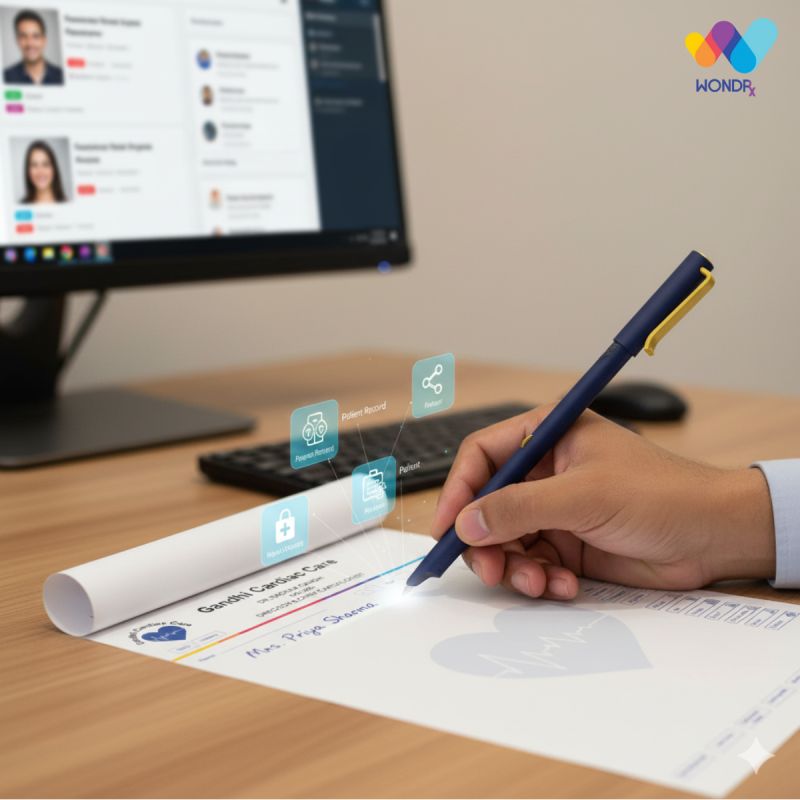
WONDRx addresses this part of the information gap through its Smart Rx solution. Doctors continue writing prescriptions on specially designed paper using a Digital Pen, while the system captures a digital copy of the prescription.
The distinction is important:
- MR reporting app: Records and organises field activity, including doctor visits and call reports.
- WONDRx Smart Rx: Digitises handwritten prescriptions at the point of care.
- Complementary analysis: Where appropriate permissions, data quality, coverage, and integrations are available, prescription-related information may be analysed alongside field activity data.
For SFE teams, this may provide additional context when reviewing field activity and prescribing trends. However, an observed association between a visit and a prescribing pattern does not establish that the visit caused a change in prescribing.
If your organisation wants to explore how digitised OPD prescriptions could complement its field reporting information, request a WONDRx Smart Rx demo to understand the workflow and its potential applications in participating clinics.
Which MR Reporting App Is Right for Your Team?
The right MR reporting app is one that fits your field team’s workflow, works reliably in its operating territories, and provides the reporting capabilities managers need.
Prioritise ease of use, dependable offline access, tour planning, expense management, relevant dashboards, data security, and responsive vendor support.
Before signing a full contract, run a pilot with actual medical representatives. Evaluate adoption, reporting accuracy, time required to complete daily reports, and the quality of information available to managers.
Key Takeaways
- An MR reporting app digitises daily call reports and other field activity records.
- Offline access, easy call logging, and reliable reporting are important for Indian field teams.
- Vendor selection should consider total cost of ownership, integrations, support, and data security.
- Pilots in actual field conditions can help identify adoption and usability challenges.
- MR reporting data captures field activity, while digitised prescriptions provide a complementary view of recorded prescribing patterns.
- WONDRx Smart Rx digitises handwritten prescriptions without requiring doctors to give up their paper-based workflow.
If you are shortlisting an MR reporting app and want to see how OPD prescription data can sit alongside your field reports, book a demo with WONDRx and see how it works in real clinics.
Conclusion
An MR reporting app can help pharmaceutical companies organise doctor visits, digitise daily call reports, monitor field activity, and simplify reporting across territories. Its success depends on how well it fits the team’s workflow, how reliably it works in the field, and whether representatives and managers adopt it consistently.
Before selecting a vendor, evaluate the app’s reporting features, offline performance, ease of use, integrations, data security, and ongoing support. A structured pilot can help determine whether the solution delivers practical value before a full rollout.
It is also important to recognise the difference between field activity and prescribing information. An MR reporting app records what representatives do, while WONDRx Smart Rx digitises what doctors write on prescriptions. Where suitable permissions and integrations exist, these sources may provide complementary insights for pharmaceutical organisations.
If your organisation wants to explore prescription digitisation alongside its existing field reporting processes, request a demo of WONDRx Smart Rx.
FAQs
What is an MR reporting app?
An MR reporting app is a mobile application that medical representatives use to record doctor and chemist visits, tour plans, samples, orders, and expenses. Depending on the platform and connectivity, this information can be made available to managers through a reporting dashboard.
What is the difference between an MR reporting app and pharma SFA software?
An MR reporting app generally focuses on daily field reporting, including visit records, tour plans, and call reports. Pharma SFA software may offer broader capabilities, such as sales tracking, order management, territory management, analytics, and additional integrations. The exact scope varies by vendor.
How much does an MR reporting app cost in India?
Pricing depends on the vendor, number of users, selected modules, implementation requirements, integrations, and support arrangements. Companies should request itemised quotations and compare total cost of ownership rather than licence fees alone.
Can a medical representative app work without the internet?
Some apps support offline reporting, allowing representatives to record field activity and synchronise information when connectivity returns. This capability should be tested on the devices and in the territories where the app will be used.
How long does it take to roll out an MR reporting app?
A small pilot may be ready within a few weeks, depending on data preparation, configuration, and training. A wider rollout may take longer depending on team size, integrations, and existing workflows.
How do you get MRs to actually use reporting apps?
Choose an app that simplifies daily reporting, provide practical training, and communicate the benefits to representatives. Introduce a clear transition from paper-based reporting and ensure managers consistently use the new system rather than requesting duplicate updates through other channels.
How is WONDRx different from an MR reporting app?
An MR reporting app records field activities such as doctor visits, tour plans, and call reports, while WONDRx Smart Rx digitises handwritten prescriptions using a Digital Pen and specially designed paper. The two solutions address different information needs and may provide complementary insights when appropriate data permissions and integrations are available.