TL;DR
- This blog is for OPD doctors, clinic owners, and hospital administrators in India who are evaluating a digital prescription solution and want one that a busy consultation room will actually use.
- Many prescription digitization solutions ask doctors to type or write on a screen, and that can become an adoption barrier in OPDs seeing dozens of patients a day.
- An alternative is a solution that captures the prescription the way it is already written, on paper, with no typing and no new habit.
- WONDRx does this with Smart Rx Kit: Smart Rx Paper, a Digital Pen, and a tablet running Doctor App, with cloud stored records and a digital copy for patients.
- Judge any solution by one test: does consultation stay the same? If it does, digitization sticks. If it does not, the paper pad comes back.
A digital prescription solution turns a doctor’s prescription into a digital record that can be stored, retrieved, and shared with patient, pharmacy, and lab. In India, feature lists matter less than how prescription gets into the system in the first place.
Many digital prescription solutions require doctors to type prescriptions, select drugs from a database, or write on a screen. A high volume OPD running 50 to 100 patients a day at roughly four minutes per consultation has no room for any of those steps. So the doctor goes back to the pen, and the software sits unused.
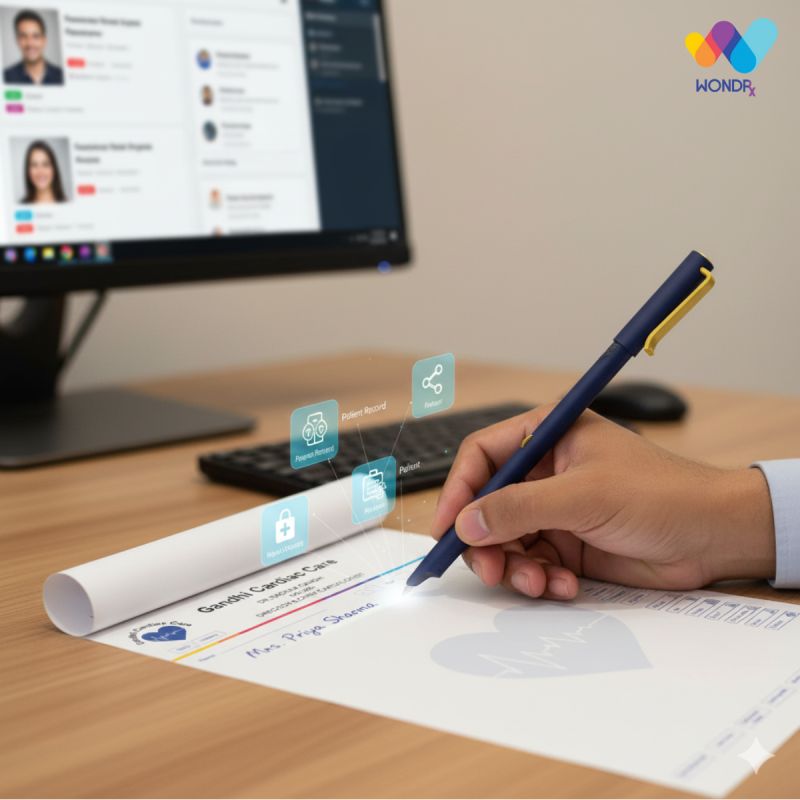
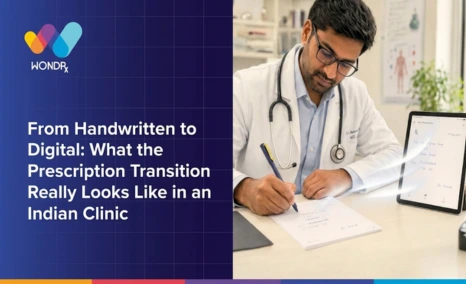
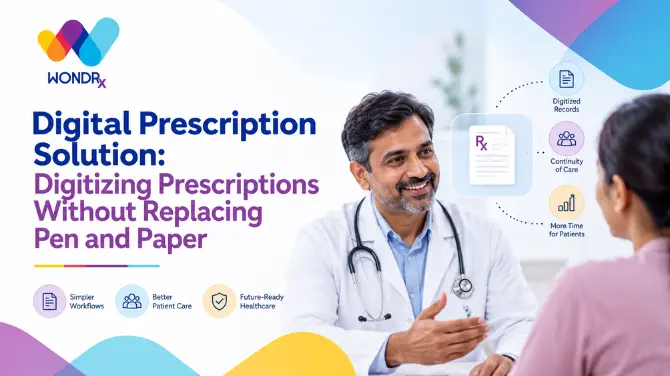
The approach that survives this reality is capturing prescription as it is already written. WONDRx does exactly that. The doctor writes on Smart Rx Paper with a Digital Pen, in the same handwriting and shorthand as always, and the prescription is digitized in real time with no typing and no change in how consultation runs.
This guide covers three types of digital prescription solutions, why typing based ones stall in Indian OPDs, how WONDRx Smart Rx Kit works step by step, and what to check before choosing a solution for your clinic.
Also Read,
- Smart Hospital: Digital Patient Records with WONDRx
- Patient Record Management System: Digitize Records
- What Is EMR in Healthcare? Full Form, Meaning
What Types of Digital Prescription Solution Are Available in India?
The phrase “digital prescription solution” covers three very different products, and the real difference between them is who does data entry.
Typing based e prescription tools. The doctor selects drugs from a database, types symptoms, and generates prescriptions on a screen. These tools offer templates and drug databases, but every consultation needs a keyboard, a mouse, and free minutes.
Screen based handwriting tools. The doctor writes on a tablet with a stylus. Handwriting survives, but paper does not, and consultation now depends on a charged device and a screen in front of the patient.
Paper based capture. The doctor writes on paper with a digital pen, and the prescription is captured as written. Nothing changes in the room, and the patient still walks out with a paper prescription. WONDRx belongs in this group.
Each type can work in a low-volume clinic. The gap shows up on the busiest OPD day, which is when a prescription digitization solution is really tested.
Why Do Most Prescription Digitization Solutions Fail in Indian OPDs?
Failure is rarely about features. It is about the time each consultation allows.
With roughly four minutes per patient, typing a diagnosis, choosing drugs from a list, and confirming dosages adds time consultation does not have. In a busy OPD, doctors tend to prioritise workflows that do not add extra time to each consultation, which is why they may return to pen-and-paper prescriptions.
Pattern repeats across clinics. A system is bought, a pilot runs for a few weeks, and the first heavy day sends the doctor back to the pad. The software was not wrong. It was built for a workflow that a crowded OPD does not have.
Doctors do not resist technology. They resist tools that charge them consultation time to produce a digital file.
Pressure to digitize is real. Indian medical regulations and recent legal developments have continued to emphasise the importance of clear and legible prescriptions. The NMC’s December 2025 guidance and an August 2025 Punjab and Haryana High Court order are examples of developments relevant to prescription practices. ABDM’s focus on interoperable digital health records makes structured digital clinical information increasingly relevant to healthcare digitization in India.
Clinics therefore need a prescription digitization solution that produces a digital record without requiring the doctor to add new documentation steps to the consultation. Software has to adapt to doctors, not the other way around.
How Does WONDRx Digitize a Prescription Without Replacing Pen and Paper?
WONDRx Smart Rx Kit is built around one rule: the doctor keeps writing exactly as before. The kit has three parts. Smart Rx Paper carries a unique printed pattern that the Digital Pen uses to capture the doctor’s handwriting. Digital Pen captures handwriting in real time. A tablet runs WONDRx Doctor App, where digitized prescriptions and patient records are managed.
Here is how one prescription moves through system:
- Write. The doctor writes on Smart Rx Paper with a Digital Pen, in the same handwriting, shorthand, and speed used for years.
- Capture. pen digitizes prescription in real time as it is written. There is no typing and no form to fill.
- Review. The digital prescription appears in the Doctor App, where the doctor can review and correct the digitized record before it is shared with the patient.
- Share. The patient leaves with a paper prescription in hand and also receives a digital copy on their phone. A doctor can add voice notes or educational videos to it.
- Store. The record is saved in the cloud, so earlier prescriptions can be pulled up from one place on multiple devices.
For prescription digitization, the doctor’s documentation task is limited to writing the prescription as usual. That is what minimal workflow change means in practice, and it is why a paper based digital prescription solution holds up when the waiting room is full.
What Does a Smart Rx Kit Give a Doctor and a Clinic?
Beyond capture, kit is built around what happens to prescription after pen lifts:
- Digital pen and custom Rx sheets. The doctor writes on paper made for the pen, and the prescription is captured without a keyboard.
- Digital copy for patients. Patients can receive a digital copy of the prescription on their phone, along with other relevant information.
- Post consultation engagement. Voice notes and educational videos reach patients after they leave, without taking more of the doctor’s time in the room.
- Cloud based records. Prescriptions are stored in the cloud and can be accessed from multiple devices.
- Provider connectivity. Pharmacies and labs can receive digital prescriptions through the WONDRx Provider App.
- Remote training and support. Clinic staff get training and support remotely.
Because the doctor writes instead of typing into a screen, eye contact with the patient stays where it was. For a clinic owner, it also means rollout does not depend on convincing every doctor to change how they work.
What Changes in a Real OPD After Digitization?
Take a general physician running a 45 patient morning OPD. The consultation looks the same as it did last year: patient in, history, examination, prescription written, patient out.
What changes is what happens after each patient leaves. The prescription is already available as a digital record, without anyone re-entering it in the evening. A patient has a copy on their phone instead of only a slip that can be lost. If the same patient returns in three months with a different complaint, the doctor can pull up an earlier prescription instead of asking the patient to find paper.
Pharmacies and labs on the WONDRx Provider App can receive prescriptions digitally. Because doctors can review and edit the digital copy before it reaches the patient, the workflow includes an additional opportunity to check the digitized record before sharing it digitally.
For hospital administrators, change happens at the scale of the whole OPD. Records can begin to build up across doctors without requiring them to adopt a typing-based workflow, which can otherwise become a barrier to digitization in busy OPDs.
Which Digital Prescription Solution Fits Your OPD?
Feature lists look similar across vendors. Four questions separate solutions that get used from ones that get shelved:
- Does the doctor have to type or select from menus during consultation?
- Does a 50 patient day take longer to get through with a tool than without it?
- Does the patient still leave with a prescription in hand and also get a digital copy?
- Can clinic teams be trained and supported without disrupting OPD?
A digital prescription solution is more likely to be adopted when it fits into the existing consultation workflow without adding significant extra steps. Typing-based tools require additional on-screen input during consultation. Paper-based capture can reduce that change by allowing the doctor to continue writing on paper.
WONDRx was built on that premise: software should adapt to how doctors already work. Smart Rx Kit lets you keep pen and paper, and gives your clinic digital records, a digital copy for every patient, and cloud stored history in return.
To see it in a live OPD workflow rather than reading about it, book a demo with WONDRx and watch a handwritten prescription become a digital one while keeping the doctor’s existing writing workflow largely unchanged.
FAQS
What is a digital prescription solution?
A digital prescription solution converts a prescription into a digital record that can be stored, retrieved, and shared with patients, pharmacies, and labs. The main difference between solutions is how prescription is captured: typed, written on a screen, or written on paper with a digital pen.
How is a prescription digitization solution different from an e prescription app?
Many e-prescription apps require doctors to create prescriptions on a screen by typing or selecting from lists. A prescription digitization solution such as WONDRx captures a prescription that is written by hand, so the doctor’s method stays the same while the record becomes digital.
Can doctors keep handwriting prescriptions and still go digital?
Yes. With the WONDRx Smart Rx Kit, the doctor writes on Smart Rx Paper with a Digital Pen and the prescription is digitized as it is written. No typing is needed to create a digital record.
Does the patient still get a paper prescription?
Yes. The patient carries a Smart Rx Paper prescription as usual and also receives a digital copy on their phone. A doctor can add voice notes or educational videos to that copy.
Can any paper be used with a digital Pen?
No. Smart Rx Paper has a unique printed pattern that works with Digital Pen to capture handwriting, so it cannot be replaced with ordinary paper.
Will a digital prescription solution slow down a high volume OPD?
It should not, if it keeps the doctor’s input method unchanged. Typing-based workflows can add time per patient, which can make them harder to use in high-volume OPDs. With WONDRx, the doctor’s prescription input can remain limited to the writing they already do during the consultation, and the clinic team gets training and support remotely.