TL;DR
- The blog is written for Indian doctors, clinic owners, and OPD practitioners who want to digitize their clinic without overhauling how they work.
- E-prescription software solves one problem – creating digital prescriptions – but most OPD clinics break down at the consultation stage, not the prescription stage.
- Full digitization means connecting patient records, billing, lab results, and prescriptions into one workflow, not running them as separate tools.
- The biggest barrier to clinic tech adoption is not cost or awareness – it is tools that force doctors to change how they work, especially in high-volume OPDs.
- Start by identifying your biggest workflow gap, then choose tools that fit around your existing habits – not the other way around.
Walk into any busy OPD in India on a Monday morning. There are 60 patients waiting, the phone keeps ringing, and the doctor is writing a prescription with one hand while asking the next patient to sit. This is real. This is the baseline.
Now imagine someone walks in and says: “We have an e-prescription software that will fix everything.” The doctor has heard this before. And in most cases, the tool failed – not because the doctor resisted technology, but because the tool demanded a behavior change that simply does not work at that pace.
The truth is, most clinic digitization advice is built around the software, not around the clinic. This blog is different. We will walk through what actually needs to change, what tools help when they are connected properly, and how to approach digitization in a way that fits how doctors in India actually work.
Why E-Prescription Software Alone Is Not Enough?
E-prescription software does one thing well: it creates a digital prescription. That is useful. But most OPD workflows do not break down at the prescription stage.
They break down in how consultation notes are captured, how billing is handled after the appointment, how lab results come back, and how patient history is retrieved the next time they visit. If each of these is managed separately, you have four different systems and zero real efficiency gain.
A clinic running e-prescriptions on one screen, billing on a spreadsheet, and lab results through WhatsApp is technically “using digital tools” but is actually creating more friction, not less.
The goal of digitization is not to collect software. It is to connect your workflow.
The Real Problem Most Digital Tools Ignore
Here is what most e-prescription software companies do not want to admit: their tools assume doctors will type. In a 60-patient OPD, that is already a broken assumption.
Doctors in India are trained to write. They think in handwriting. Their prescription shorthand, their symbols, their layout of symptoms and medicines – all of it is built around the pen. Asking them to switch to typing during a consultation is not a small ask. It is a complete behavioral shift that most busy doctors will not sustain beyond the first week.
This is why adoption rates for clinic software in Indian OPDs remain low despite growing awareness. Doctors do not resist technology. They resist tools that slow them down or force them to work differently.
Any clinic digitization approach that does not account for this is going to fail – regardless of how good the software looks on a demo.
What a Fully Digitized Clinic Actually Looks Like
A digitized clinic is not a clinic with five apps. It is a clinic where patient data flows automatically from one step to the next, without anyone re-entering the same information twice.
Here is what that looks like in practice:
Patient Registration and Records When a patient arrives, their details are already in the system from their last visit. The doctor can pull up their history, previous prescriptions, and allergies in a few seconds. No digging through paper files.
Prescription Capture That Fits Your Habit This is where most clinics get stuck. The ideal setup is one where the prescription is captured in whatever format the doctor is comfortable with, and the system converts it into a clean digital record. That might mean typing for some doctors. For most high-volume OPD doctors in India, it means writing by hand and having the system convert it. The key is that the doctor does not have to change anything.
Billing That Runs Automatically Once the prescription is written, billing should pull the relevant data without any manual entry. The front desk does not need to re-type medicine names or consultation charges. It is already there.
Lab Integration When a doctor orders a test, the request should go to the lab digitally and the result should come back into the patient’s record automatically. No WhatsApp, no printouts, no manual uploading.
Reporting and Insights At the end of the month, you should be able to see how many patients you saw, what the most common diagnoses were, and which parts of your workflow are creating delays. This is only possible when all the pieces are connected.
How WONDRx Fits Into This Without Changing How You Work?
Most clinic software asks you to adapt to it. WONDRx is built around how you already work.
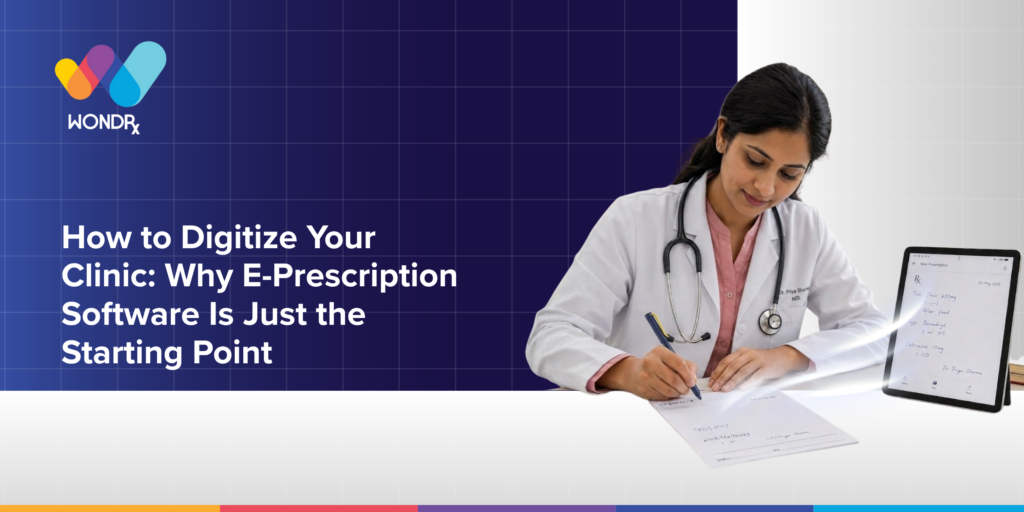
The core insight behind WONDRx is simple: doctors in high-volume OPDs write prescriptions by hand. That is not going to change. So instead of asking them to type, WONDRx converts handwritten prescriptions into clean digital records automatically – no typing, no re-entry, no new habit to build.
You write the way you always have. The prescription is digitized. Your patient record is updated. The next consultation is already set up. That is it.
This matters because it removes the single biggest barrier to clinic digitization: the behavior change. When there is no behavior change required, adoption happens naturally. Doctors are not fighting the tool. They are just using it.
For clinics seeing 50 to 100 patients a day, this is not a small feature. It is the difference between a tool that gets used and one that collects dust.
How to Approach Clinic Digitization Step by Step
Start with your biggest pain point, not the coolest software. Is it billing? Patient records? Prescription legibility? Identify the one thing causing the most daily friction and start there. That gives you a clear success metric from day one.
Choose tools that connect, not tools that compete. Every system you add should be able to talk to the others. If your e-prescription software cannot share data with your billing system, you are creating a new bottleneck, not removing an old one.
Do not skip staff readiness. Your front desk staff interacts with these systems more than the doctor does. If they are not comfortable, the workflow breaks down even if the doctor is on board. Train them first. Keep it simple.
Run a parallel period before going fully digital. For the first few weeks, keep your paper records alongside the digital ones. This removes the fear of data loss and gives the team time to build confidence in the new system.
Review every 30 days in the first quarter. Look at where delays still exist. Talk to your staff about what feels slow or confusing. The first version of your digital workflow will not be perfect. That is fine. Adjust early.
Choosing the Right E-Prescription Software for Your OPD
Not all e-prescription tools are built for Indian clinic conditions. Here is what to look for:
Works without high internet dependency. Many clinic areas in India have inconsistent connectivity. Software that needs a stable connection to function will create downtime during busy hours.
No mandatory typing. If the tool cannot accommodate how doctors actually write or consult, it will not last beyond the pilot phase.
Integrates with billing and records. A standalone prescription tool is useful but limited. The value multiplies when it is connected to the rest of your clinic workflow.
Simple enough for your front desk. If only the doctor can operate it, it creates a single point of failure. The tool should be usable by any staff member without a technical background.
Cloud-based with offline capability. Your data should be accessible from anywhere but should also work locally when the internet is slow.
Conclusion
Digitizing your clinic is not about buying software. It is about building a workflow where information moves without friction, from the moment the patient walks in to the moment they leave.
E-prescription software is a useful starting point, but it is only one piece. The clinics that get the most out of digitization are the ones that connect their prescriptions, records, billing, and lab results into a single system and choose tools that fit around how their doctors actually work.
If you see 50 or more patients a day and are still spending time on re-entry, paper files, or managing results over WhatsApp, there is a better way. You do not have to change how you work. You just need tools that work the way you do.
Want to see how WONDRx fits into your OPD without disrupting your current workflow? Book a 15-minute demo and see it in action.
FAQs
Q: Is e-prescription software enough to digitize a clinic?
E-prescription software is a useful first step, but it covers only one part of the workflow. Full clinic digitization includes patient records, billing, lab integration, and reporting. When these are connected, the real efficiency gains happen.
Q: Do doctors have to learn typing to use digital prescription tools?
With most tools, yes – and that is exactly why adoption fails in high-volume OPDs. WONDRx is built differently. It converts handwritten prescriptions into digital records, so doctors do not have to type or change how they consult.
Q: How long does it take to digitize a clinic?
Most clinics can have the core systems set up within a few weeks. The key is to start with your biggest workflow problem, not the most complex system. A phased approach with a parallel paper period in the first month works well for most OPDs.
Q: Will the staff need extensive training?
Not if you choose the right tool. The simpler the interface, the faster the adoption. Look for tools that your front desk can learn in a single session without any technical background.
Q: Is clinic digitization viable for smaller OPDs in India?
Absolutely. In fact, smaller OPDs often see the fastest results because there are fewer layers to connect. The key is choosing tools that are affordable, offline-capable, and built for Indian clinic conditions.
Q: How does WONDRx handle high-volume OPD days?
WONDRx is specifically designed for high-volume OPDs. Because it requires no typing and no behavior change from the doctor, it works just as smoothly on a 100-patient day as on a 30-patient day.